Learning languages (Greek and Latin, computer languages) and explaining them to others. Learning systems (Mac OS, computer programs), reviewing them, explaining them to others. Writing apps for Mac and iPhone. And some hobbies.
Here are some particularly nice things people have said about me or to me in the past. Most of them are about software or writings no longer available, and not all of the links work properly; but it’s nice to have had feedback like this over the years, and it gives a general perspective on my career.
I’m not antisocial, but I am anti-social: I don’t like “social networking”. I have no Facebook or Instagram or TikTok account. I signed up with LinkedIn but received so much spam that I dropped the account. I do still have an account at Stack Overflow (where my reputation is over 540,000), but the site is beyond moribund.
I do not “tweet”. I had a Twitter account but I rarely used it for anything, and when the company got bought out I closed my account. I have Bluesky and Mastodon accounts but I don’t use them either. My writing is deliberate; I have no desire to preserve ephemera, and I could never bring myself to use content generation as a way of collecting clicks or followers.
For the same reason, I don’t blog either, at least not as a milieu for journaling, or even for short essays. I have used a blogging milieu for posting short technical articles about programming, but not on a regular basis.
Thus there is no good way to “follow” me. If you need to contact me, I have email accounts that are easy to discover.
Cocoa is the original name for the application programming framework introduced in Mac OS X in 2001 (based on the framework used for building apps in NeXTSTEP, on whic Mac OS X itself was based). It brought a revolution in Mac application programming: it was modern and compact, and the tools for writing applications with it were free. I started writing Mac applications with it almost immediately. Later (around 2008), Cocoa became the basis for the more rationalized iPhone programming framework, now called iOS and extended to include the iPad. These two programming frameworks are often distinguished by referring to the primary “kits” that constitute their respective basis, AppKit (for Mac) and UIKit (for iPhone and iPad); the UIKit variant is sometimes referred to as Cocoa Touch.
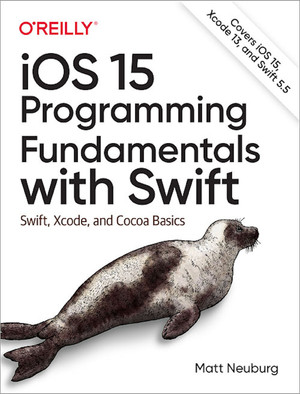
Of all my computer programming books published since 1997 by O’Reilly, the one about programming for iOS, originally published in 2011, has had the longest active life.
That’s partly because it had the good fortune to be in the right place at the right time. Originally I had proposed to O’Reilly that I would write a book about Cocoa programming for the Mac. O’Reilly responded that what they were really looking for was a book about programming the iPhone, which had only recently become programmable. I agreed to write it, worked feverishly, and more than a year later produced Programming iOS 4. The timing was extremely lucky: while I was writing the book, the first iPad came out, so I was able to include iPad programming as well.
The other reason the book lasted is, ironically, that every year it became seriously outdated; as Apple annually produced a major update to iOS, so I had to produce an update to my book (Programming iOS 5, and so on). By the time we reached iOS 7 in 2013, the book had become impossible huge, and had to be split into two separate volumes. A further major change came in 2014 when Apple introduced the Swift programming language; I made the decision to adopt it, rewriting all my books’ code examples, and so produced one of the very first third-party books that taught the language from the ground up.
The last books in the series were Programming iOS 14 and iOS 15 Fundamentals, the latter appearing in 2021; O’Reilly declined to publish the accompanying second volume, and we parted ways.
Even though the relationship with the publication and editorial staff went sour, the technical support folks at O’Reilly were heroic. Over the years, I got to use some amazing tools — tools that eventually enabled me to turn text-based files into a book PDF pretty much instantly. Thus I was able to keep my readers updated with the latest electronic version of the book as I wrote and revised it, and to write and edit nimbly and quickly. I’ve written a discussion explaining my workflow as it eventually developed.
I have put the full text of the 3rd edition of the book here. You can also read the Swift chapters of the iOS 10 edition here. Keep in mind that these are both very outdated documents (which is why I’m allowed to post them).
Here are my general-purpose iOS apps available on the App Store. (Some rather more specialized apps are listed later on this page.) I give the dates when they were first published; the current versions, though, are all up-to-date and require iOS 26 or later, because they had to be rewritten from scratch to accommodate the anemic atrocity that is “Liquid Glass.” Most of these are games, and all are suitable for children, simply because I wrote them for myself to play and that’s the sort of game I like. They are all freeware (and open source), except for Diabelli’s Theme which has an optional in-app purchase.
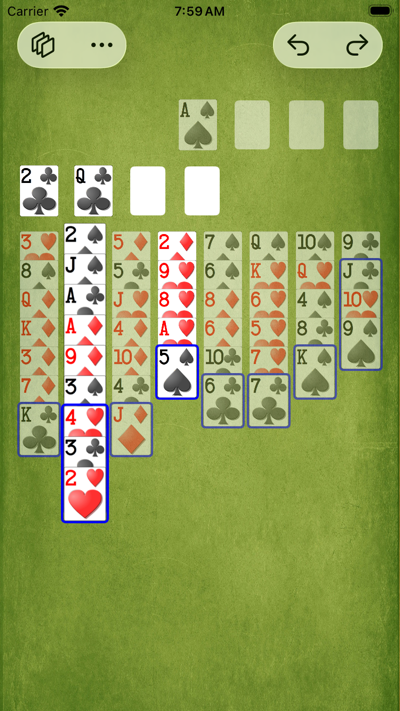
I wrote this version of FreeCell (in 2019) because I didn’t like any of the existing versions. It is my favorite app; I use it all day every day, diving in to play a quick two- or three-minute game of FreeCell whenever I have down time. In my implemention, you tap, never drag, to move, so game play is very fast and simple. Power features include: card sequences are outlined; legal moves are highlighted; sequence moves and supermoves work automatically; intelligent automove-to-foundations; and intelligent early endgame. Other features: numbered Microsoft deals; game export and import; statistics listing played games, with times and number of moves. You can read the Help manual here to get an idea of what it’s like.

The first iOS app I ever wrote (November 2009), and the worst app ever written for the iPhone. No kidding! It’s been downloaded tens of thousands of times, far more than any other app I’ve written, and all because of how terrible it is. All it does, basically, is enact the song “99 Bottles of Beer on the Wall” while singing along in a robotic voice. Annoy your friends, your enemies, your pets, and yourself.
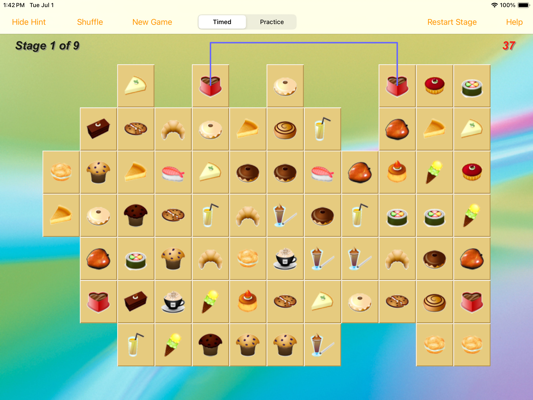
MacLinkSame was a popular PowerPC Mac application by Zheng Xiaoping, released in 2004 and eventually abandoned. (It was based on Shisen-Sho, though I didn’t find that out until much later.) LinkSame (August 2010) recreates MacLinkSame on the iPad (or iPhone). All you have to do is spot a pair of tiles bearing the same picture, such that the centers of the tiles can be connected by a path consisting of one, two, or three straight line segments, where (1) all line segments in the path are horizontal or vertical, and (2) no segment of the path crosses any other tile. Select both tiles to remove them from the board. Keep doing that until you clear the board.
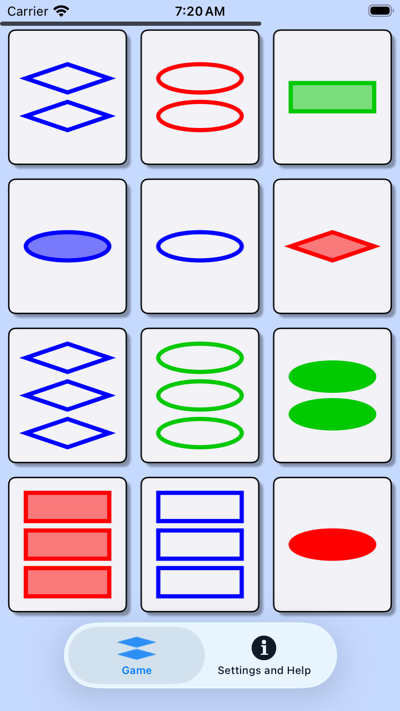
I originally wrote this little game as a Mac app, and later (January 2012) adapted it for the iPhone. The goal is simply to spot groups of three “cards” that are the same or different in all four of their “attributes”. A good time-waster: no stopwatch, no scoring, no pressure, and a really good way to train your brain and keep it sharp. It saves its place in the game, so at any time you can fire it up, spot a triad or two, and put it away again, to come back later.
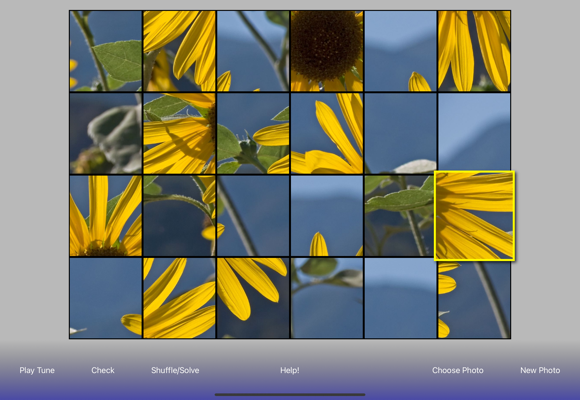
I invented this little game myself (March 2013); it’s a quick and easy puzzle game, with a musical twist. You are shown a photo that has been broken into 24 shuffled pieces: your job is to rearrange the pieces to reconstruct the original photo. But you don’t have to do it just by looking at the pieces, because, to help you, each piece of the puzzle is accompanied by a piece of music — a part of Diabelli’s theme (the theme on which many composers, most notoriously Beethoven, wrote variations in 1819). You very quickly learn to recognize the pieces of the theme, so that the music for each puzzle piece tells you where that piece goes. And when you get the pieces arranged correctly, the music plays in the correct order as well. The puzzle photos are my own; with an in-app purchase, you can use your photos as puzzle photos.
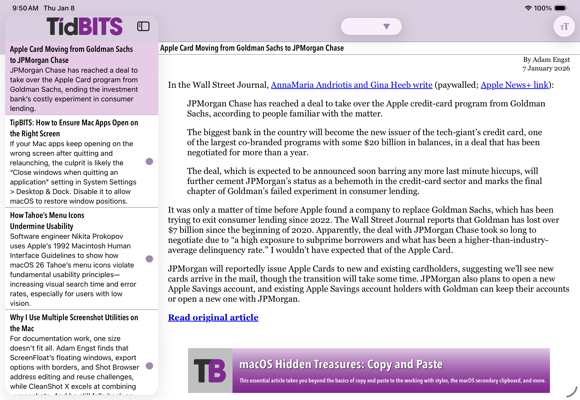
This app is for reading TidBITS conveniently. It works by parsing an RSS feed, formatting the output to be nicely legible on an iPhone or iPad. The feed is stored on the device, so once you’ve fetched the feed, you can read offline.
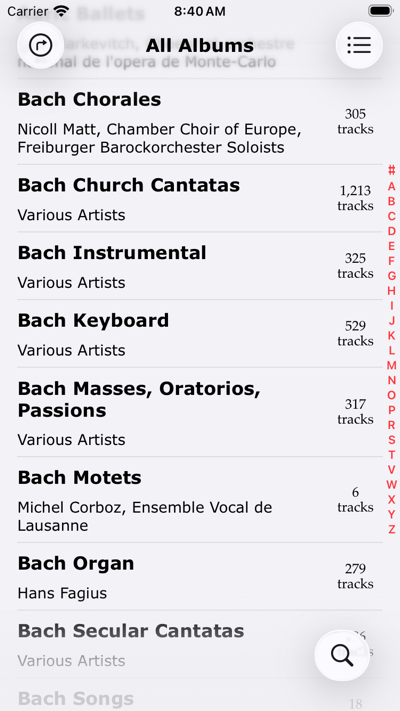
This won’t interest you unless have, or have access to, a Navidrome server. If you do have one, this is a Navidrome client app, allowing you to view and play the music you’re serving from the server. Using it, I’m able to use my phone to play any of my massive Classical music collection, anywhere, as long as I have an Internet connection. Also lets you load up music for playing when there is no Internet connection.
These are some free Mac apps of mine that you can download. They are available from me, not from the Mac App Store; all have been notarized by Apple. They have all been recently rewritten from scratch and compiled for macOS 26 and Apple Silicon. They are all apps that I myself use frequently. They are all open-source.
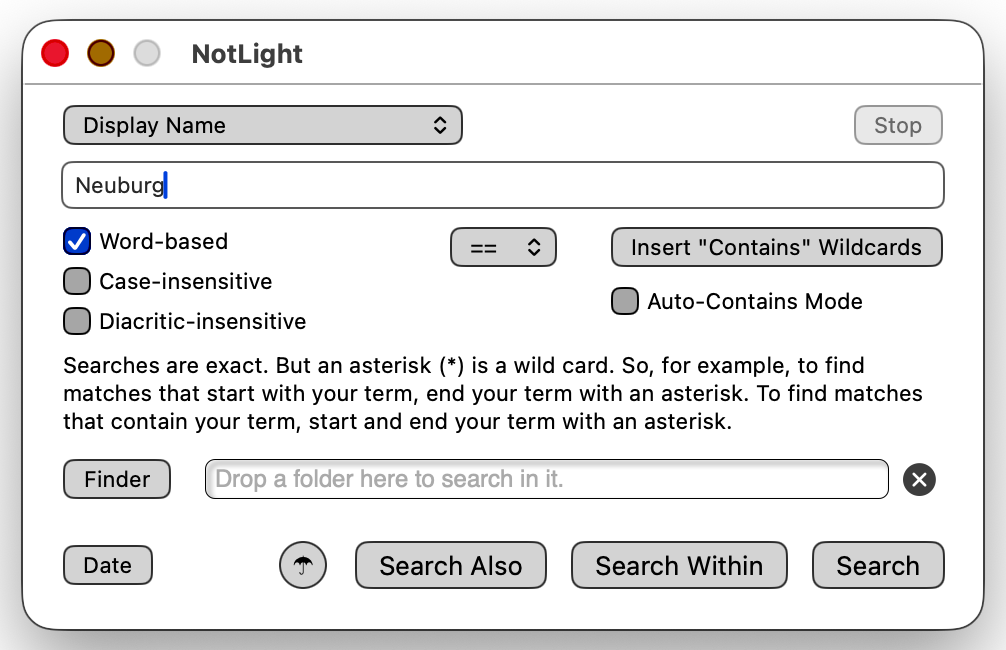
Spotlight is Apple’s technology for indexing the contents of your hard disk. It’s pretty good, but I’ve never liked the search interface that comes with it; so I wrote NotLight to provide a better Spotlight interface. You can do any kind of Spotlight search; ten search keys are built in, and you can add more. You can use wildcards, specify word-based, case-insensitive, and diacritic-insensitive searches, and construct complex searches with AND, OR, and NOT. A Date Assistant translates dates into Spotlight’s query language for you. You can even view and edit a search as text if you like. Results are a simple list of filenames and paths. Reviewed in Macworld way back in 2006.
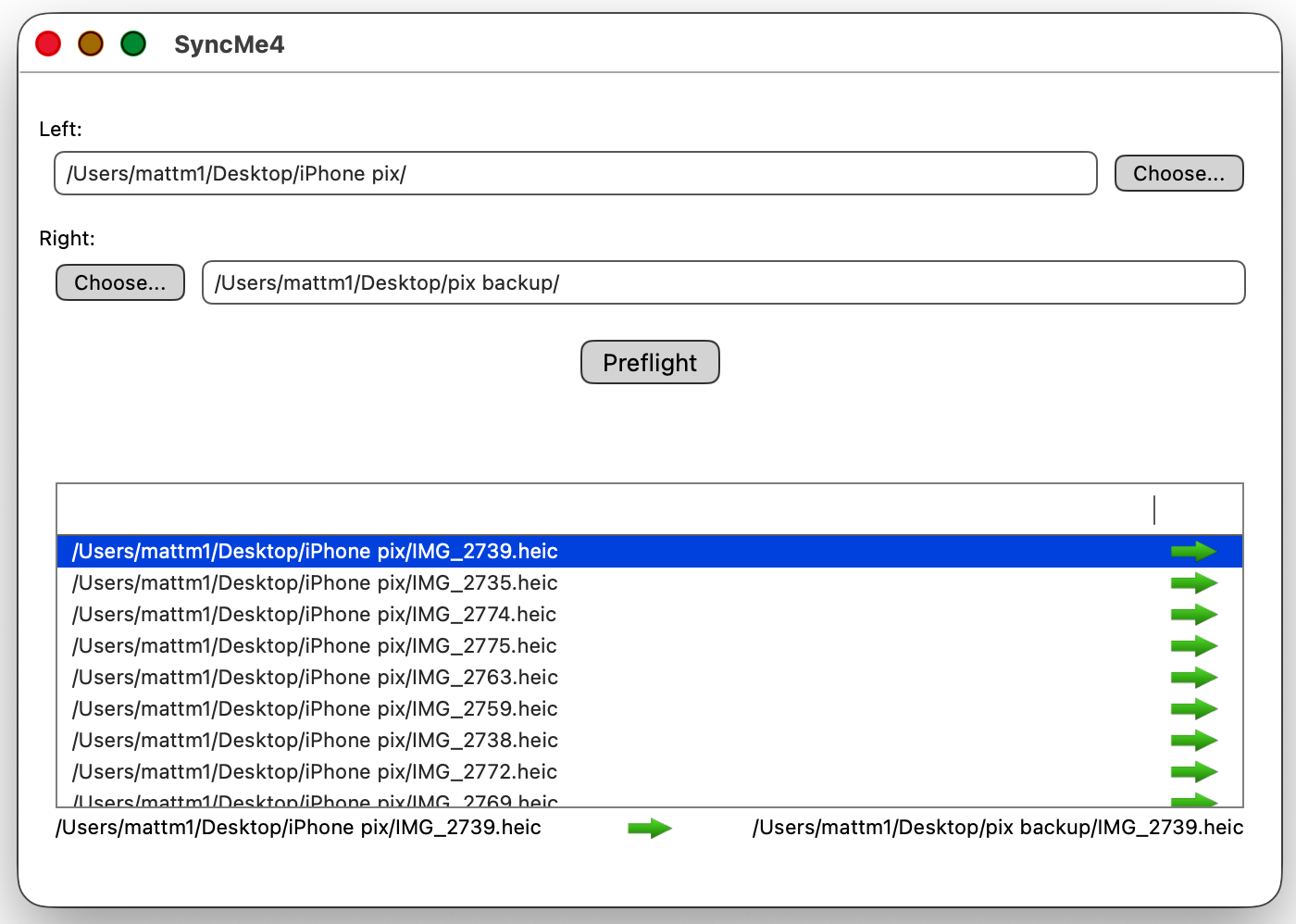
SyncMe is a folder synchronizer utility: It examines two folders and copies their contents from each one to the other; if an item exists in both places, the most recent version of that item is copied by default. In this way, both folders end up with the same contents. Pauses before doing any copying, presenting you with an editable list of the actions it proposes to perform. Uses the Finder for copying, so it works wherever Finder-copying works; for instance, it works if one or both of the folders are on an external drive or mounted remotely via File Sharing. Good for keeping two computers synchronized with one another, or for backing up an external drive.
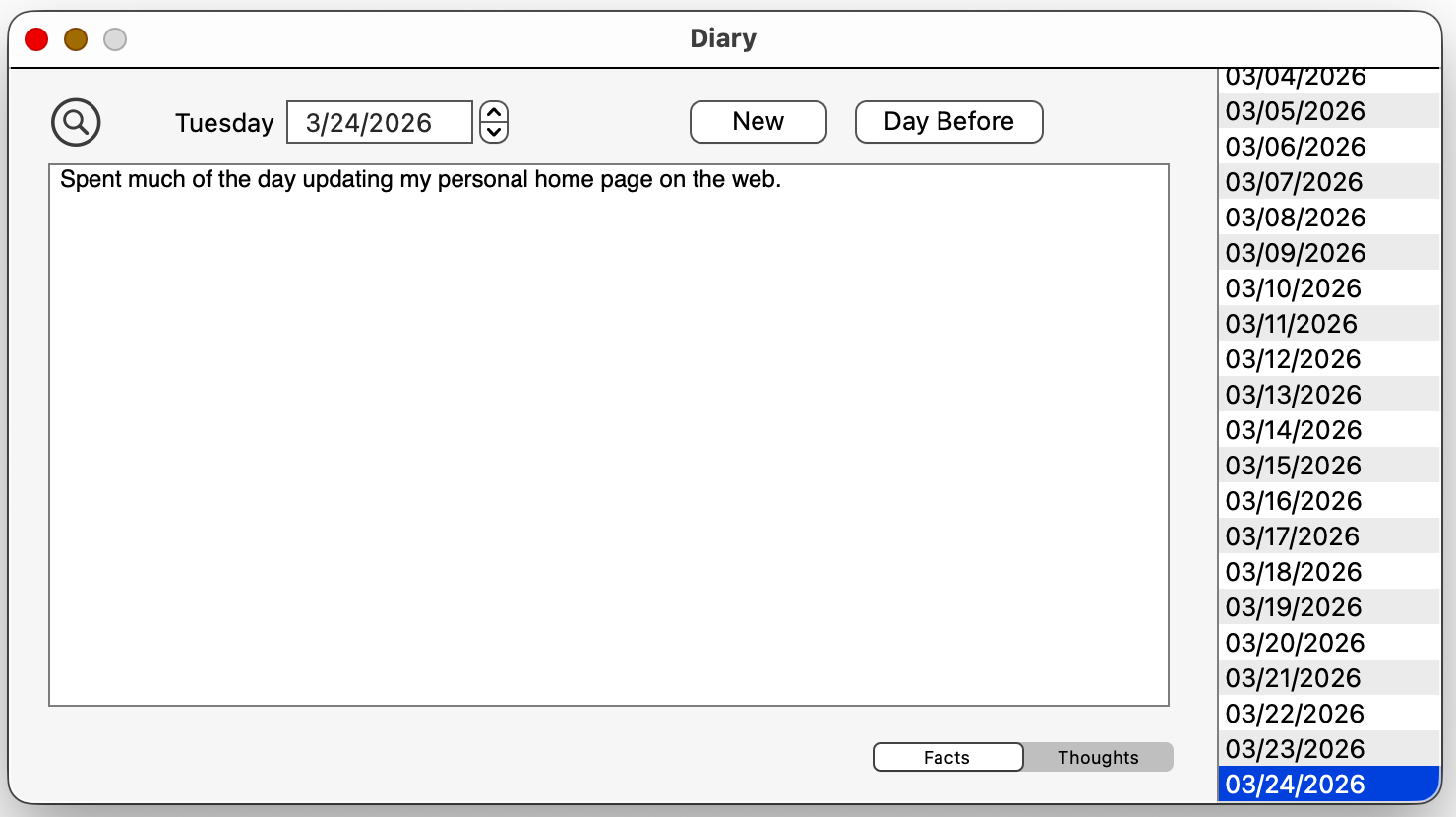
Diary is a simple daily journal application. Start it up, type what you did today, quit. Next day, same thing. Searchable, but no bells and whistles; you can’t include images, or add links, or anything like that. Still, it is what I use every day to keep my own diary, and it’s got all my entries since 1995 and is still going strong; so I thought I’d share it. (If you are a user of an earlier version of my Diary application, note that this version is incompatible with the earlier one; if you use this one, you will basically be starting a new volume of your diary.)
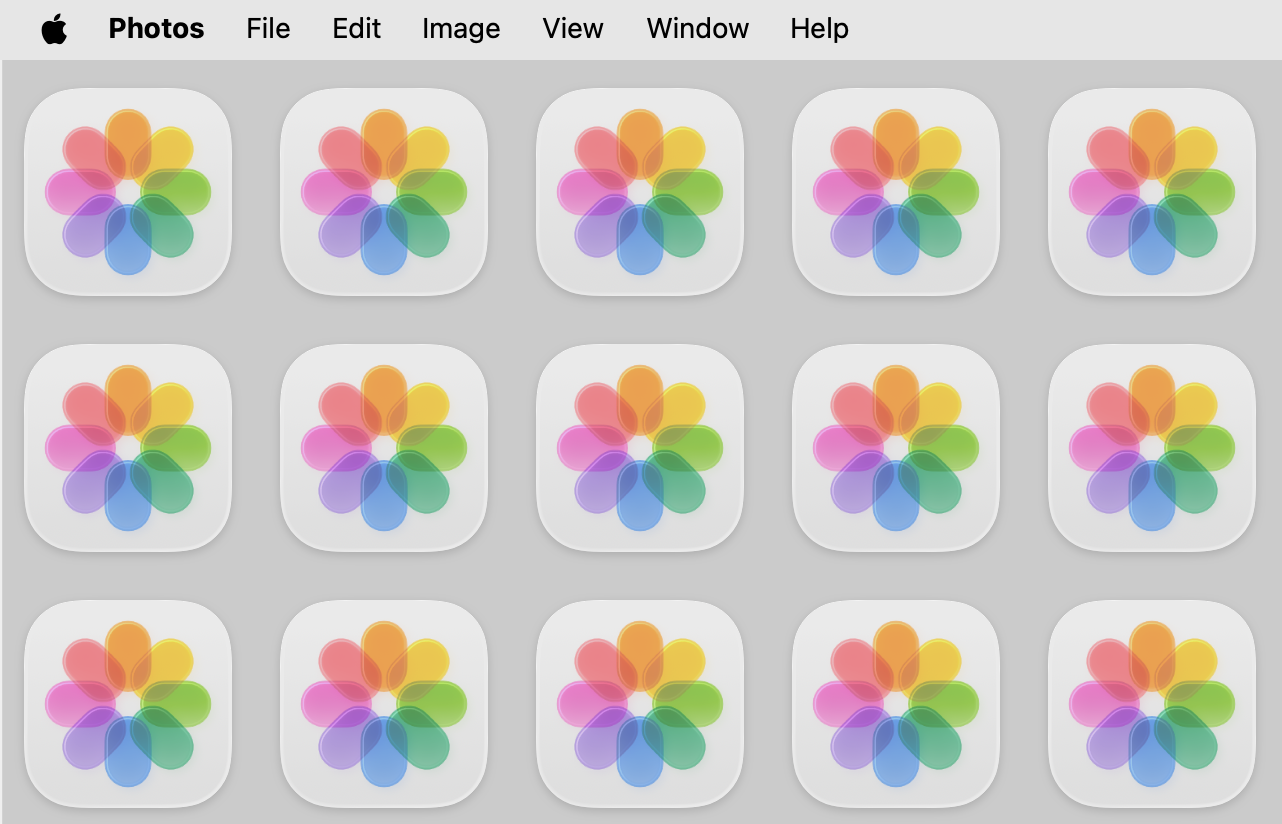
Mother’s Helper is a little utility that I wrote to help (wait for it) my mother. She has trouble keeping track of what application is frontmost. On Mac OS X, you can see one application through another, windows of different applications can become interleaved, the active window is not strongly distinguished and doesn’t say what application it comes from, you can close all windows and still be in an application, and so forth. The menu bar does say what application is frontmost, but that isn’t a strong enough cue for her. So this little utility provides a stronger cue: it tiles the desktop with huge icons corresponding to the frontmost application.
When I was working for BiTE as an iOS programmer, one of my jobs, because I was a well-known writer about programming, was occasionally to document my use of Xcode, Swift, and iOS in little technical articles that might help programmers using the same tools. Many of these were inspired by the moment, as it were: an innovation introduced in a particular version of Swift or iOS or Xcode caused me to make a change in my code or to be able to do something in a new way. However, all of these changes are still in force, and a lot of them are not as widely known as they should be, so they should be of enduring interest. Anyway, here they are.
po logging with Mirror
callAsFunction)
Here are a few more miscellaneous online tutorials about aspects of Cocoa programming.
Just how did we all survive before Git? How did we get any programming done at all? As you can tell, I’m a Git fan (though I suppose nowadays everybody is). I’m not a Git super-user, but I do use it in a fairly deep way (I have the Git gold badge on Stack Overflow, so that should tell you something). I’ve written some online articles about Git, and here they are.
master to main. This caused some transitional difficulties for some GitHub users. This article explains how to get yourself out of those difficulties.Ruby is a brilliant object-oriented scripting language that became widely popular as an alternative to Perl or Python starting about 2000. I can’t remember when I first encountered it, but when I did, I immediately preferred it to any other scripting language. It seemed to me to incorporate the best features of every other language that I liked (such as UserTalk, JavaScript, and LISP).
Any time I need to write a quick script (for example, to parse a text file), I reach for Ruby. I prefer Ruby over AppleScript when it comes to driving Mac applications by scripting; for example, I manage and curate my massive classical music collection by scripting iTunes [Music] with Ruby. This is possible thanks to the rb-scpt Ruby gem, itself based on the ground-breaking, extensive, and rather astounding work done by Hamish Sanderson. Ruby also played a key role in the workflow for writing my O’Reilly books, first because it was the language in which my TextMate AsciiDoc bundle was written, and then later because we switched from AsciiDoc to the Ruby-based AsciiDoctor gem. Most important, Ruby is the basis for RubyFrontier, the web site generation system I developed, in which all my web sites (including this one) and all my software documentation is written.
If you don’t know Ruby at all and you’re curious about it, I wrote this brief introductory tutorial. My approach to explaining Ruby is rather different than most. I describe Ruby from the top down, starting with modules and classes, and I don’t tell you more than you need to know in order to get started, since you can always pick up the details later on.
I mentioned before that I prefer to use Ruby instead of AppleScript when I want to use scripting to drive a Mac application, such as iTunes [Music]. This is an online book that I wrote about how to do that. It focuses on rb-appscript, so in that respect it’s a little outdated, as today one would use the rb-scpt Ruby gem that I linked to earlier. But it is still a very useful and complete explanation, with plenty of code examples. If you’ve been using AppleScript and you’re tired of how cranky the language is, this book will give you a good idea of what it would be like to switch to Ruby.
I started writing RubyFrontier in 2008. It is by far the largest and most significant Ruby project I’ve ever created. It’s a framework for writing and generating static web sites.
With RubyFrontier, I can concentrate on content and let RubyFrontier itself worry about form, making it effortless for me to structure and link heavily between multiple web pages. It’s how all my web sites are written (including this one); it’s also how I’ve written most of my software documentation (I like my documentation to be “cross-referenced and cross-linked out the ying-yang”, as John Gruber put it). A good example is the online help for Script Debugger. Another good example is the documentation for RubyFrontier itself.
A little history: Although I wrote RubyFrontier myself (about 2000 lines of Ruby code, plus the code in each individual web site project), I didn’t think of the idea myself. The entire thing is heavily based on features that were built into UserLand Frontier. I was very fond of Frontier, and wrote my first O’Reilly book about it. Frontier was many things, and among them was a static web site generation framework. But in about 2007 Frontier started to become rather long in the tooth. Meanwhile, I had become a fan of TextMate (itself now getting long in the tooth; I sure know how to pick them), so I essentially ported the web framework features of Frontier into Ruby as a TextMate bundle. Thus RubyFrontier was born. At the same time, I made some improvements; and RubyFrontier has continued to evolve since I first wrote it.
To download RubyFrontier as a TextMate bundle, see the GitHub page.
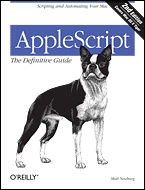
AppleScript is Apple’s official language for driving scriptable applications through inter-application communications by means of AppleScript. Although nominally intended as a scripting language “for the rest of us”, mostly because of its English-like phraseology, it is in fact one of the clumsiest and quirkiest programming languages ever devised.
My book about AppleScript; it was the first really good book on AppleScript, treating the language rigorously and systematically, including many aspects of the language that I’ve had seen explained previously. It was endorsed by Apple Computer, Inc. as an Apple Developer Connection title, and went into a second edition in 2006.
Personally, I prefer nowdays (as I’ve already said) to use Ruby for sending Apple events to scriptable applications. But lots of people do still use AppleScript, and my book remains a basic and useful text.
An article I wrote about cool things you can do with AppleScript handlers. Originally published in Mac Developer Journal.
For many years I was a regular contributor to the online Apple-oriented journal TidBITS, writing mostly software reviews. (Although it is now a web site, TidBITS started out as a weekly email, back before there was such a thing as a web site, and when not all that many people knew what email was either.)
Later, when the founders of TidBITS, Adam and Tonya Engst, started publishing books about the Mac, I was lucky enough to be one of the original regular authors. Take Control involved rapid publication of timely electronic books (PDFs optimized for on-screen reading), kept up to date by periodic revisions. Because the books were electronic, overhead were low, so the books were inexpensive and could easily be updated — a good model for computer-related subjects, because the subject matter changes so quickly (plus it sure saves paper).
These reviews are ordered roughly from most recent (2013) to oldest (1991).
These articles are ordered roughly from most recent (2013) to oldest (1994).
The books are ordered from oldest (2003) to most recent (2013). Many of these links don’t work, as Take Control was taken over by Joe Kissell and older books were dropped from the catalog.
| Take Control of Customizing Panther (subsequently collected as part of a print book as well) |
| Take Control of What’s New in Word 2004 and Advanced Editing & Formatting |
| Take Control of Customizing Tiger (also collected in print) |
| Take Control of Customizing Leopard |
| Take Control of Exploring & Customizing Snow Leopard |
| Take Control of Using Lion |
| Take Control of Using Mountain Lion |
Because of my participation as a Take Control author, as well as my writings in TidBITS and my iOS book, I was fortunate to be a guest on some of Chuck Joiner’s MacJury and MacVoices shows. These are audio and (in some cases) video podcasts. They are ordered from most recent (2023) to oldest (2007).
Before I became a free-lance programmer and technical writer, I was a Classicist, teaching Greek and Latin and related subjects in various institutions of higher learning. These two periods of my life (Classicist and programmer) are far from unrelated. Reading Plato or Cicero, and explaining to others how to read them, is not so very different from reading Swift or AppleScript, and explaining to others how to read them. Also, while I was a Classicist, I was programming. I wrote my doctoral dissertation on a mainframe computer at Cornell; I wrote many teaching aids for my Classics students using HyperCard; and so on.
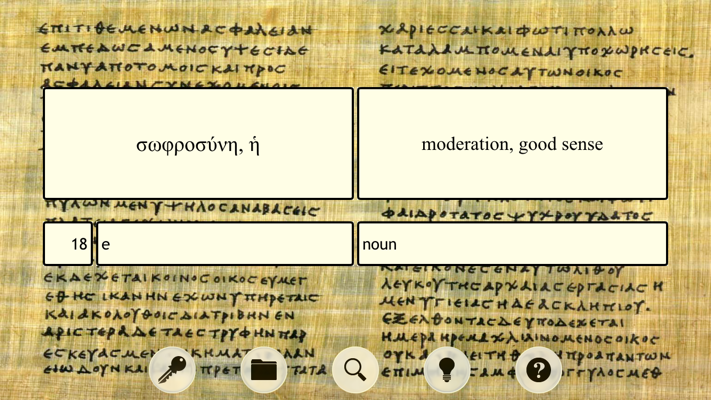
An iOS app, to accompany use of the textbook Reading Greek, by the Joint Association of Classical Teachers (JACT), Cambridge University Press. Includes all the vocabulary the textbook wants you to learn, presenting the vocabulary items as flashcards, to be sorted and consulted in ways likely to be useful to students and teachers; for example, you can drill yourself on vocabulary items presented in random order. Good for students learning the vocabulary; good for teachers writing quizzes.
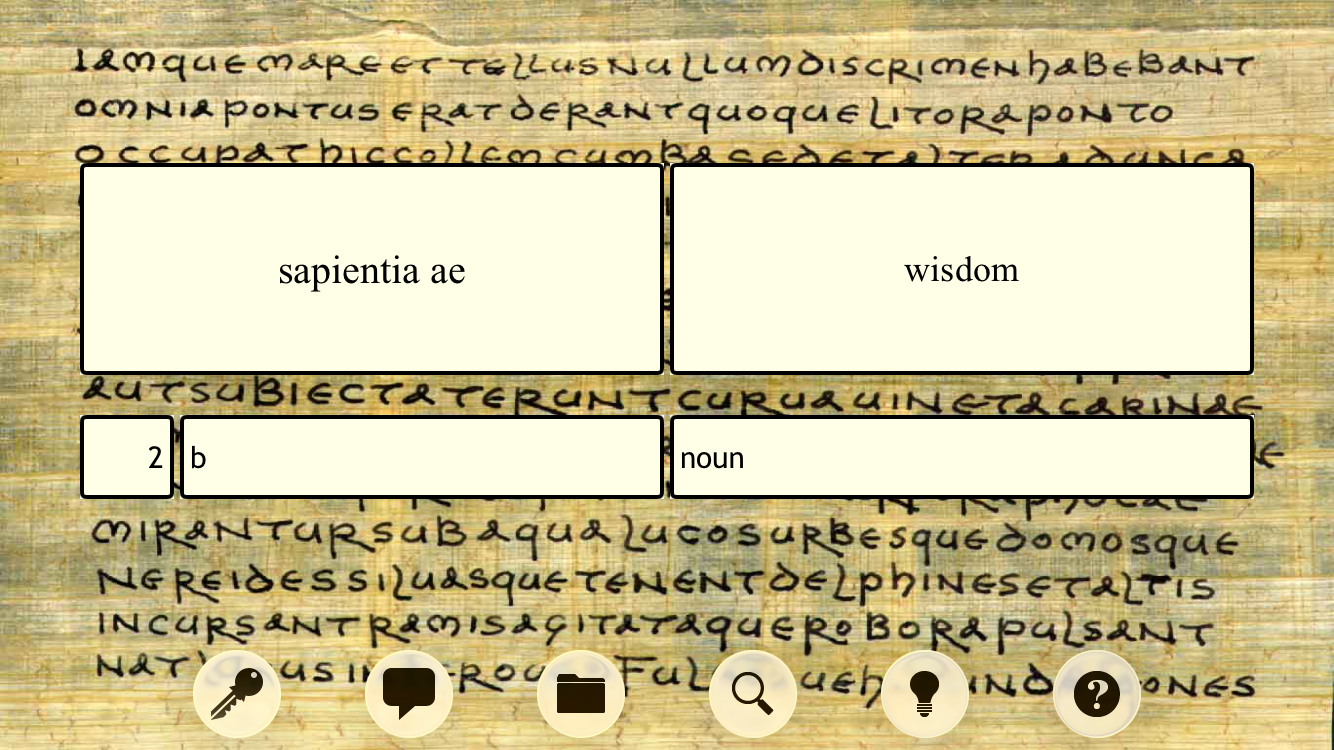
An iOS app, to accompany use of the Cambridge University Press textbook for beginners in Latin, Reading Latin, by Peter Jones and Keith Sidwell. Consists of flashcards for the complete vocabulary to be learned in the course of using the textbook. The iPhone is a great way to carry around virtual flashcards. You can also use it as a mini-dictionary for looking up a word.
Back in the days of film cameras, I took a lot of photographs that I liked, almost exclusively nature images. Eventually digital cameras arrived on the scene, and I started to consider the importance of digitising my film negatives, so they wouldn’t be lost to time and degradation; I spent about two years doing that.
Well, once my pictures were digitised, there was no reason not to share them. So I’ve put my favorites onto a photo album site. The photos are mostly dated, the place is given, and they are consistently tagged with keywords. Please let me know if you are able to identify a species that eluded me.
Some digital photos are also included in this collection. But, as so often happens, the software that I was using as a photo database, to tag and organize the images, ceased to be supported. As a result, I have thousands of more recent photos that are not posted on the site. Some day, perhaps…!
I’ve ridden motorcycles since just after college, and have taken many motorcycle camping trips. I’ve had a Honda 90, Yamaha RD250, Honda CB400T, Honda CX500, BMW K100RT, and a BMW R1100RT, and have been back and forth across the US several times, in addition to various uni-coastal grand tours of one sort or another. Some of my trips are recorded in photos (though you won’t automatically know which ones are from motorcycle trips).
Some years ago, my old riding buddy John decided that the street was no fun any more. After getting the racing bug out of his system, he decided that we needed to learn dirt biking. I was skeptical, but we took it up, and though we were just a couple of old duffers, we improved all the time, and most important, we had lots of fun and see lots of back country we’d never have seen otherwise.
Here is a map of various nearby places we liked to go; if you are looking for dirt biking locations near Santa Barbara and Ojai, this might prove useful!
I also created a list of KML files, generated using GPS, showing some of the routes we liked to take. You can view these using Google Maps just by clicking a link!
We also took lots of great photos of ourselves and the scenery! See my photo album site.
Of historical and nostalgia interest only.
This section is no longer actively maintained and has been moved to here.
This section is no longer actively maintained and has been moved to here.
This section is no longer actively maintained and has been moved to here.
This section is no longer actively maintained and has been moved to here.
This section is no longer actively maintained and has been moved to here.